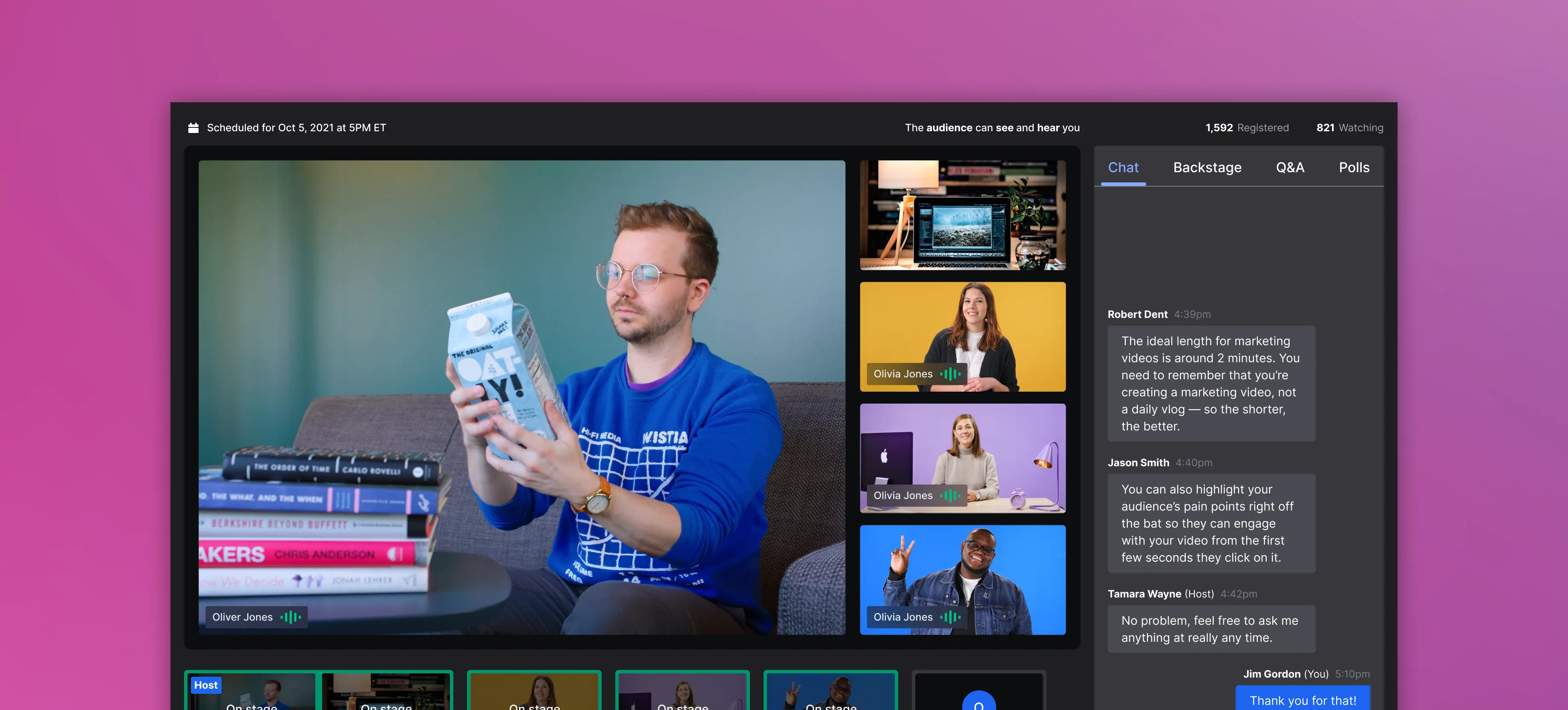
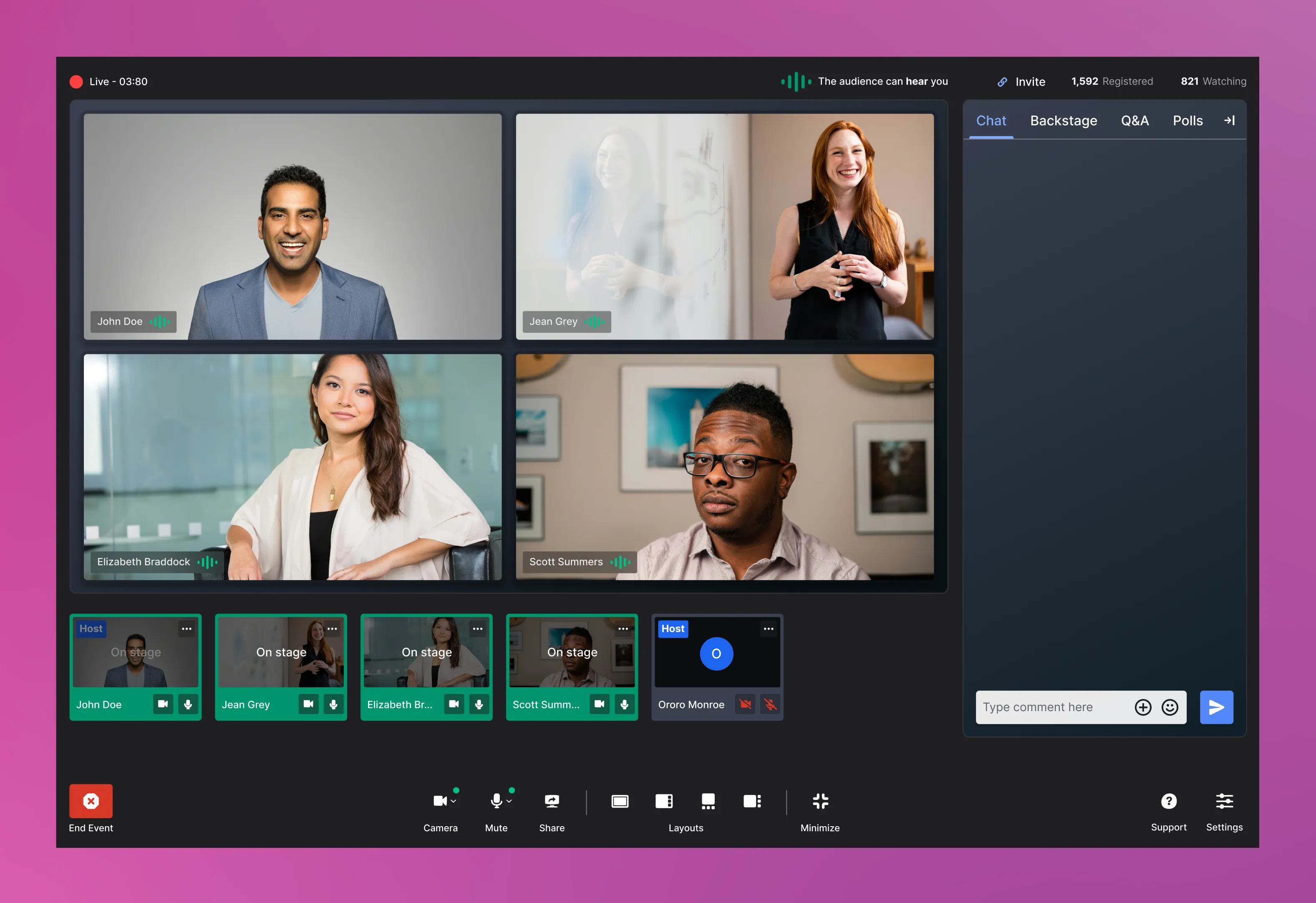
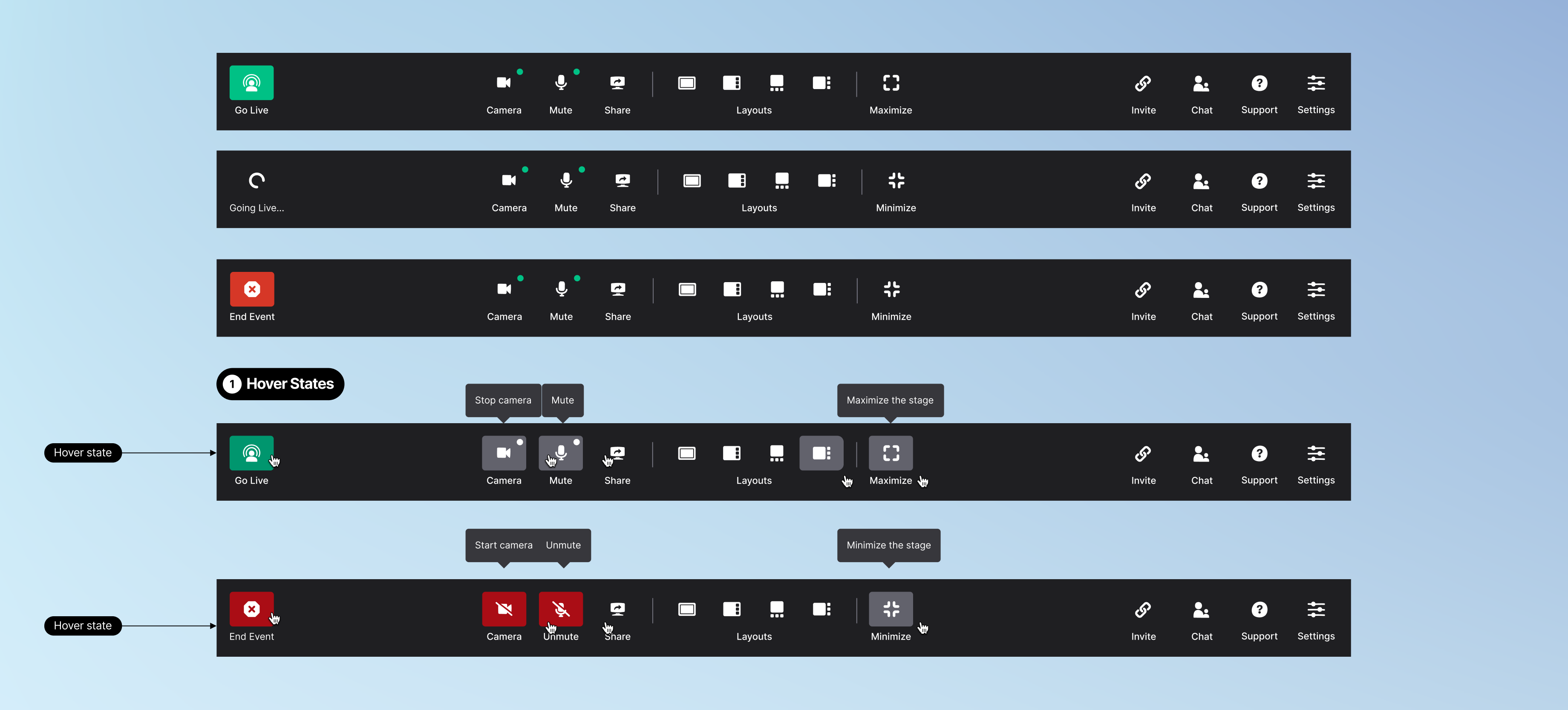
Using communicative iconography coupled with text and alt text for accessibility, we layer out our toolbar by the level of priorities. Starting the event, it is placed to the far left, so a user must actively search for it. This prevents them for accidentally recording their event before they're ready. (Of course, we have a confirmation modal, just in case someone accidentally clicks this button.)
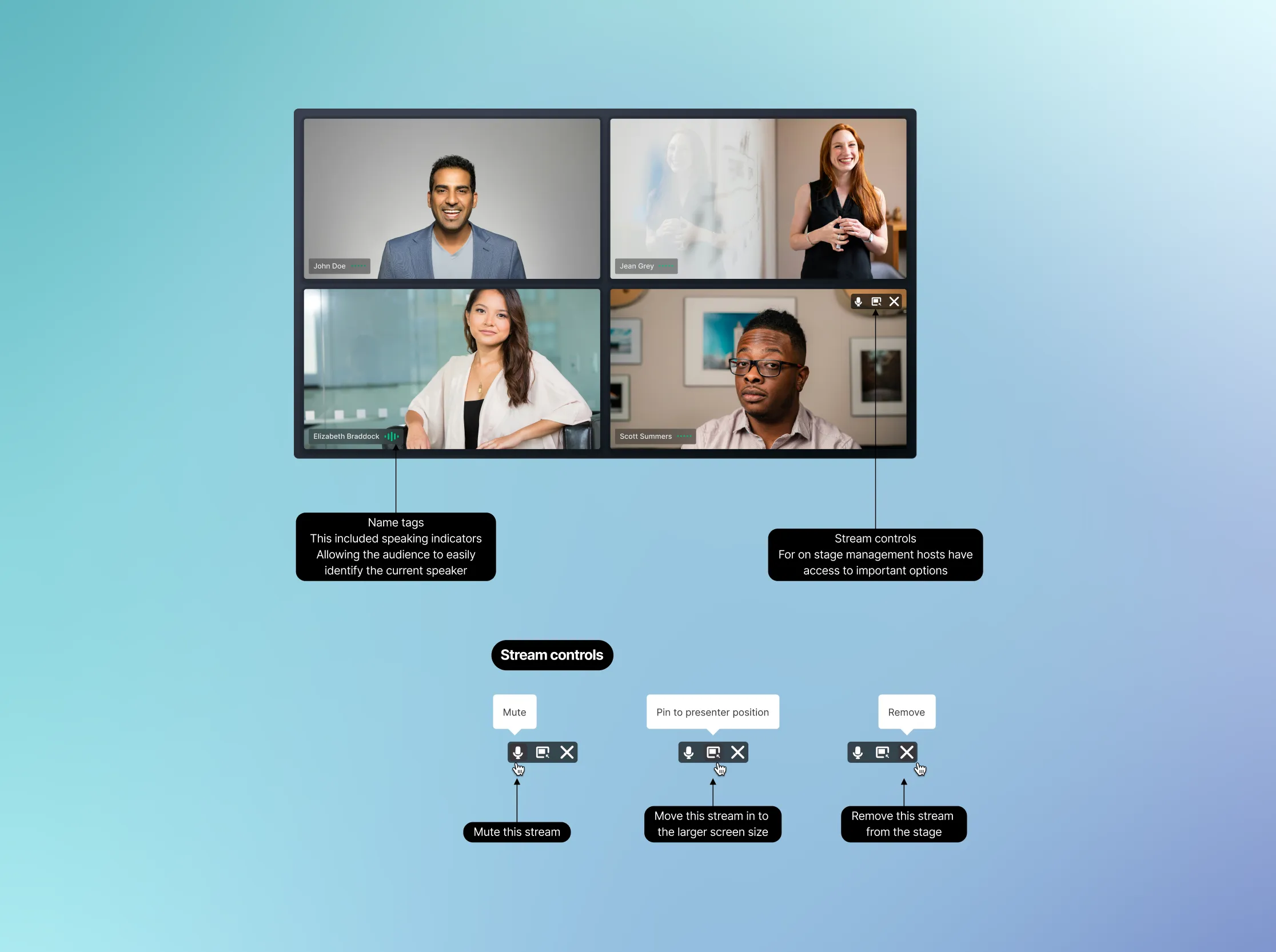
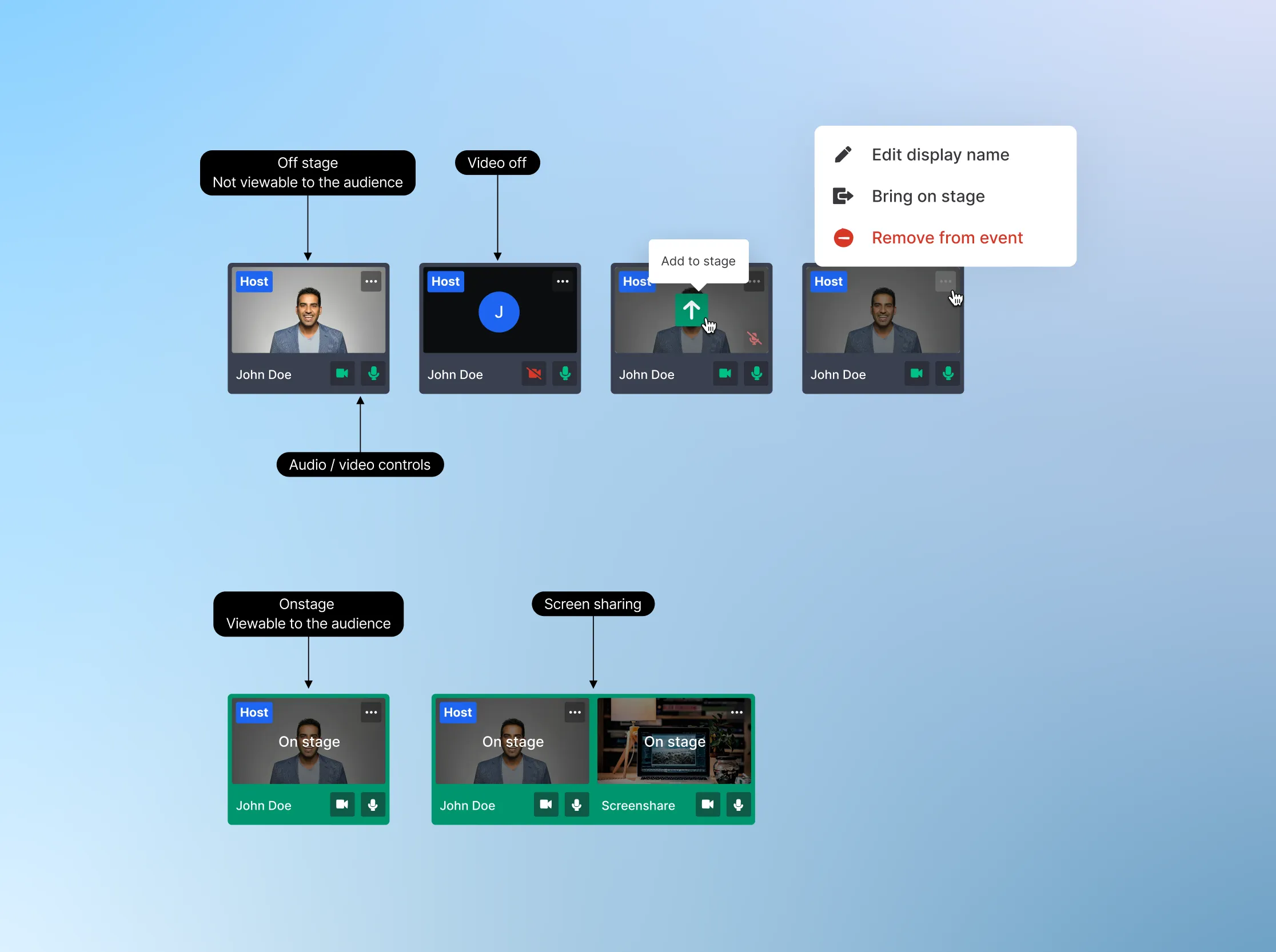
Controls for the stage and your personal audio and video states are centered. It is easily accessible because they will control what the host's audience experiences.
Support, settings, toggles for the chat, and invitation links are placed near the edge of the screen where their actions take effect.